UPDATE wp_options SET option_value = '' WHERE option_name = 'limit_login_lockouts' LIMIT 1;
UPDATE wp_options SET option_value = REPLACE(option_value, '192.168.0.1', '') WHERE option_name = 'limit_login_lockouts' LIMIT 1;
dattobd
Dattobd is an open source Linux kernel module for point-in-time live snapshotting
pure-ftpd can’t login as [www-data]: account disabled
cat /etc/pure-ftpd/conf/MinUID
[TOTEM ] knet_handle_new failed: File name too long (36)
corosync fails to start
Aug 01 11:32:30 ubu1 corosync[5546]: [TOTEM ] Initializing transport (Kronosnet).
Aug 01 11:32:30 ubu1 corosync[5546]: [TOTEM ] knet_handle_new failed: File name too long (36)
Aug 01 11:32:30 ubu1 corosync[5546]: [KNET ] transport: Failed to set socket buffer via force option 33: Operation not permitted
Aug 01 11:32:30 ubu1 corosync[5546]: [KNET ] transport: Unable to set local socketpair receive buffer: File name too long
Aug 01 11:32:30 ubu1 corosync[5546]: [KNET ] handle: Unable to initialize internal hostsockpair: File name too long
Aug 01 11:32:30 ubu1 corosync[5546]: [MAIN ] Can’t initialize TOTEM layer
Aug 01 11:32:30 ubu1 corosync[5546]: [MAIN ] Corosync Cluster Engine exiting with status 15 at main.c:1531.
Aug 01 11:32:30 ubu1 systemd[1]: corosync.service: Main process exited, code=exited, status=15/n/a
Aug 01 11:32:30 ubu1 systemd[1]: corosync.service: Failed with result ‘exit-code’.
Aug 01 11:32:30 ubu1 systemd[1]: Failed to start Corosync Cluster Engine.
sudo sysctl -w net.core.wmem_max=8388608
sudo sysctl -w net.core.rmem_max=8388608
sudo systemctl restart corosync.service
Error: Failed instance creation: No storage pool found. Please create a new storage pool
lxd init
ImportError: No module named requests
apt install python-requests
vmware ssh list vms
vim-cmd vmsvc/getallvms
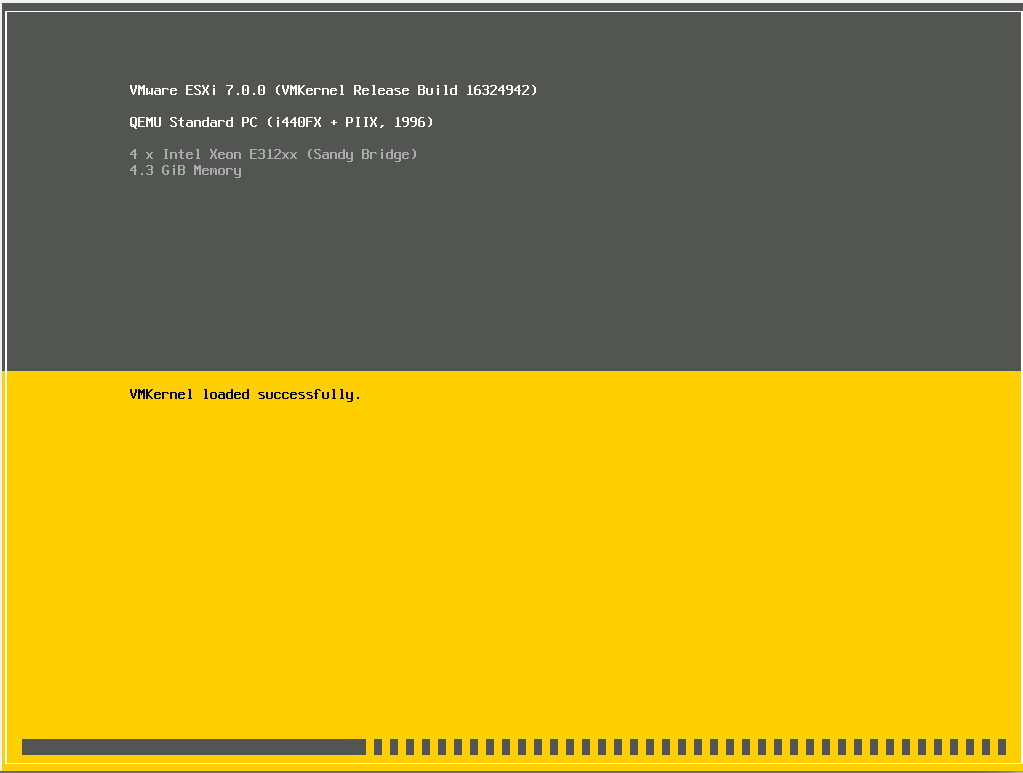
install vmware on kvm
sudo virt-install --name esxi70 --ram 4384 --cpu SandyBridge,+pclmuldq,+aes,+xsave,+avx,+vmx --disk path=/var/lib/libvirt/images/vmware.qcow2,size=80,bus=sata --vcpus=4 --os-type linux --os-variant=fedora10 --network bridge=virbr0,model=vmxnet3 --graphics vnc,listen=0.0.0.0 --noautoconsole --video qxl --cdrom /tmp/VMware-VMvisor-Installer-7.0b-16324942.x86_64.iso --features kvm_hidden=on
Error 503 Service Unavailable Service Unavailable Guru Meditation:
varnishlog -q 'RespStatus == 503' -g request
varnish test config
varnishd -C -f /etc/varnish/default.vcl
mysql 5.7 install ubuntu 16.04
apt-get install mysql-server
mysql -V
mysql Ver 14.14 Distrib 5.7.31, for Linux (x86_64) using EditLine wrapper
prestashop phppsinfo password
Login: prestashop
Password: prestashop
E: Unable to locate package pecl
apt-get install php-pear
ubuntu php 7.3
LC_ALL=C.UTF-8 add-apt-repository ppa:ondrej/php
apt update
apt install php7.3 php7.3-cli php7.3-common
php -v
PHP 7.3.20-1+ubuntu16.04.1+deb.sury.org+1 (cli) (built: Jul 9 2020 16:33:48) ( NTS )
Copyright (c) 1997-2018 The PHP Group
Zend Engine v3.3.20, Copyright (c) 1998-2018 Zend Technologies
with Zend OPcache v7.3.20-1+ubuntu16.04.1+deb.sury.org+1, Copyright (c) 1999-2018, by Zend Technologies
W: GPG error: http://ppa.launchpad.net/ondrej/php/ubuntu xenial InRelease: The following signatures couldn’t be verified because the public key is not available: NO_PUBKEY
apt-key adv --keyserver keyserver.ubuntu.com --recv-keys E5267A6C